Vocal Stutter
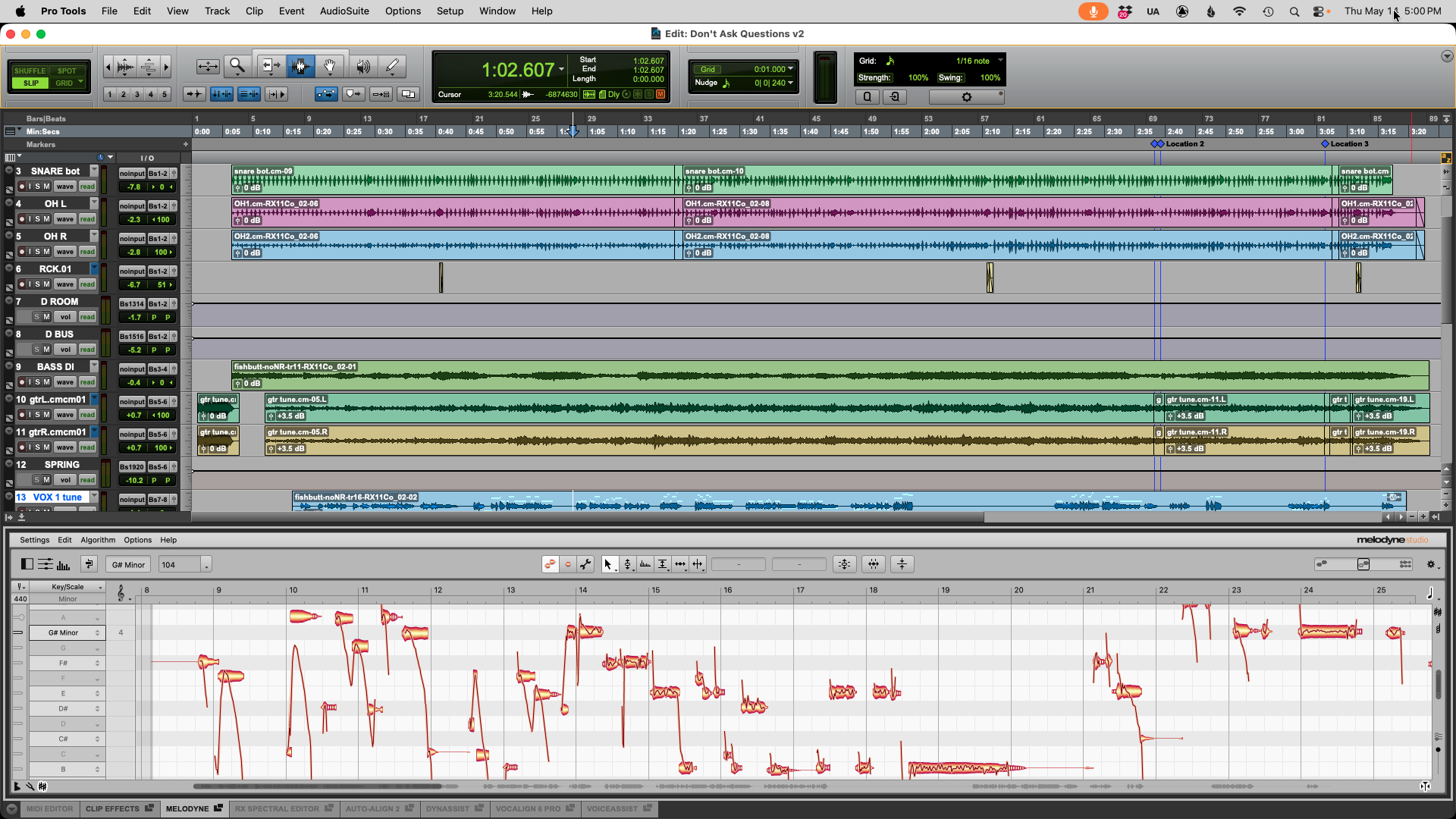
In a waveform-editing program, slice the vocal phrases into individual pieces. If you wish the phrases to be in time, lock the nudging amount to a 1/32-note grid. Now copy and paste the pieces about 8 to 16 times into separate tracks or back to back. Small amounts of pitch shifting (6 to 12 semi-tones) or other effects can be applied to individual phrases. A similar effect can be created by using Re-cycle and a sampler. Export or bounce the vocal phrase out of your editing software and open it in Re-cycle. Select preview toggle and enter number of bars. Adjust the sensitivity amount or use the pencil tool to define slices. Key map the samples across a keyboard. This will allow you to play the vocal phrases in real time using the keyboard. At the point where you want a phrase to repeat, mute the original vocal track, then trigger the samples.
Low-Pass Filter
Low-pass filters are great for creating distance in single tracks or whole mixes. Low-pass filters remove frequencies higher than the cut-off frequency, allowing the lower frequencies to pass through. Put a low-pass filter on an instrument track and automate the (LPF) cut-off frequency changing from 300 Hz to 4 kHz over eight or sixteen bars. This will make the instrument seem to get closer to the listener.
Artifacts
A great way to create a very unnatural vocal sound is to create digital artifacts while preserving the integrity of the performance. Using your favorite time stretching and pitch shift plug-in or software, select a portion of the vocal track. Time stretch the track so it is twice as long and pitches it up a fifth, now re-processes the track, this time reversing the process (lower quality algorithms will produce more artifacts). Experiment with doing this process multiple times.
Bit Reduction
For a very digital noisy sound, apply a bit reduction plug-in or software to convert your 24 or 16 bit word into a 1, 2, or 3 bit word (make sure there is no dither or noise shaping applied). Using a noise gate, set a short attack and release time, adjust the threshold so everything but the peaks are gated. This works well on drums, vocals and monophonic synth lines.
Broken
One good way to create random glitch effects is to use some type of strip silence command. Most strip silence commands have some form of threshold, attack time and release time settings. What we want to do is cut up our audio segment in a random way. Set the attack fast and release slow, the threshold will need to set according to the dB level of the audio segment. Pro Tools has an "Identify Silence" command that will analyze the amplitude of a selected audio segment and use that as the threshold for the strip silence command. This technique (if done right) will create many small, random audio segments. A second way to achieve a broken effect is to burn a CD-R of the track to have the glitch. Once you have created the CD-R, get some fine 220-grit sandpaper and randomly create scratches across the CD. Play the CD in a low quality CD player and feed the output back into your DAW or Multitrack. You should hear skips, jumps and repeating sections.